
To ensure a seamless experience with our app, please review the following guidelines regarding login credentials and password management.
Login Credentials:
- Accuracy is Key: The most common reason for login issues is incorrect credentials. Please double-check that both your login ID and password are typed accurately. Pay close attention to capitalisation, numbers, and special characters, as passwords are case-sensitive.
Password Management:
- Forgot Your Password? No Problem! If you have forgotten your password or simply wish to reset it, our automated system makes it straightforward.
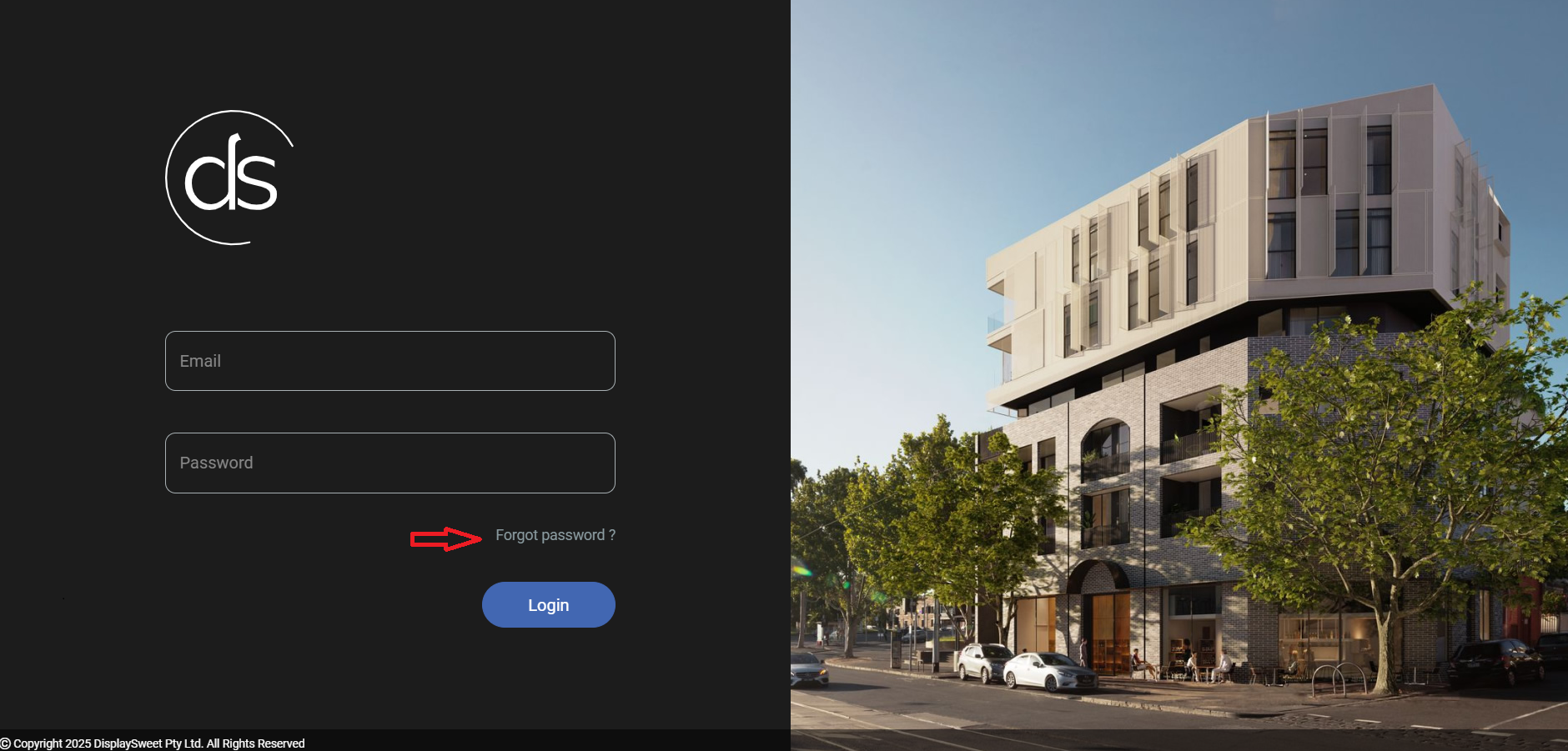
- Click 'Forgot Password': On the login page, you will find a prominently displayed 'Forgot Password' button. Click this button to initiate the password reset process.
- Provide Your Email Address: You will be prompted to enter the email address associated with your account. It is crucial to provide the correct email address for the system to locate your account.
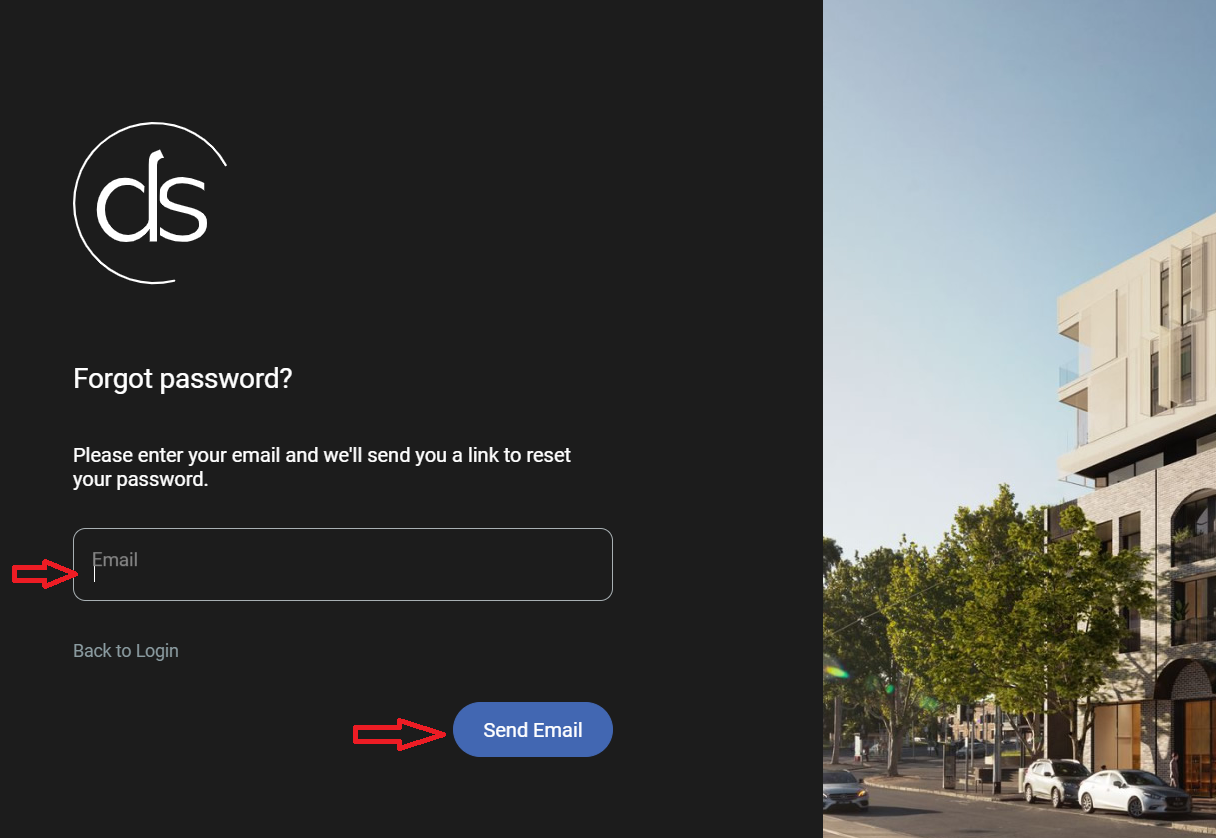
- Receive Your Reset Link: Upon successful submission of your email address, you will receive an email containing a secure link. This link will direct you to a page where you can set a brand new password for your account.
- Security Notice: For your security and privacy, please note that we do not store your password in our systems. This means that if you forget your password, we cannot retrieve it for you. The 'Forgot Password' process is designed to allow you to securely set a new password without us ever having access to your old one.
- Click 'Forgot Password': On the login page, you will find a prominently displayed 'Forgot Password' button. Click this button to initiate the password reset process.
We highly recommend using a strong, unique password for your Displaysweet account login to enhance security. If you continue to experience difficulties logging in after following these steps, please contact our support team for further assistance..